
According to Windows Report | Error-free Tech Life, Microsoft Edge is now adding Tab Groups and Workspaces to its sync capabilities in the Edge Canary version. This means users can finally access their organized browsing sessions across all signed-in devices rather than being limited to the single device where they were created. Tab Groups help reduce clutter by letting users organize tabs under colored labels, while Workspaces create dedicated browser windows for specific projects that can be shared with others. Until now, Edge supported syncing history, open tabs, favorites, passwords, extensions, collections, and settings – but Tab Groups and Workspaces remained frustratingly device-locked. The new sync option appears in Profiles > Sync settings with a dedicated toggle for “Workspaces and Tab Groups.” During testing, Tab Groups successfully synchronized across Edge Canary, Beta, Dev, and Release versions on both desktop and mobile, though Workspaces remain limited to desktop unless enabled through experimental flags on Android.

Why this sync matters
Here’s the thing – browser organization features are basically useless if they don’t follow you between devices. I can’t tell you how many times I’ve carefully organized research tabs on my desktop only to find myself staring at a chaotic mobile browser later. Microsoft‘s been playing catch-up here while Chrome users have enjoyed similar syncing capabilities. The fact that they’re testing this across Android, iOS, and desktop simultaneously shows they understand modern workflows aren’t device-specific anymore.
The Workspaces catch
Now, there’s a significant limitation worth noting. Workspaces synchronization isn’t fully baked yet – they only appear on mobile if you enable them through experimental flags. That’s a pretty big gap for a feature that’s supposed to be about seamless cross-device work. Basically, if you’re hoping to jump between your desktop Workspace and your phone during a meeting, you might hit a wall. Microsoft probably needs to sort out the mobile interface for Workspaces before this becomes truly useful for most people.
Microsoft’s browser play
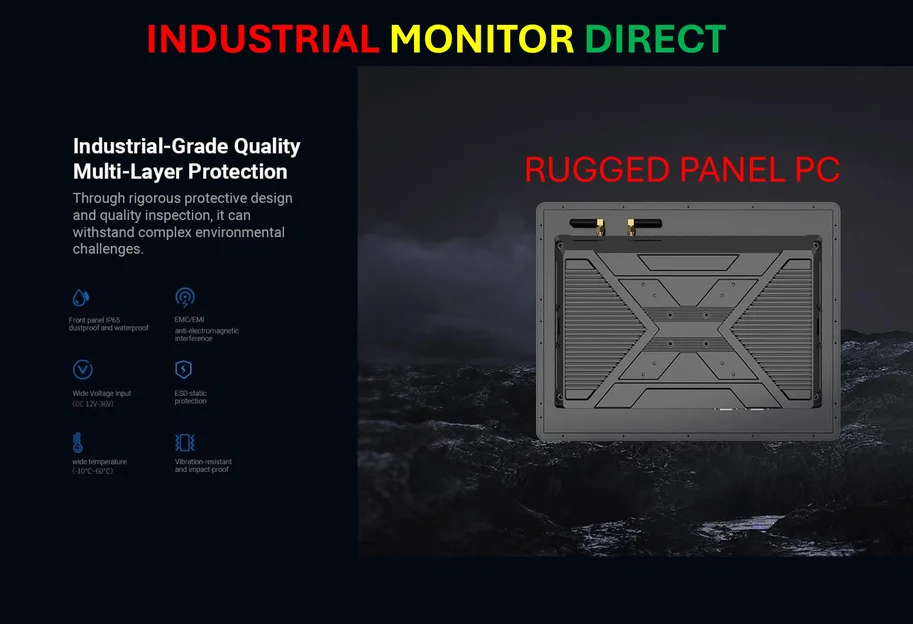
So what’s Microsoft’s game here? They’re clearly trying to make Edge stickier for power users who live across multiple devices. When your organized work environment follows you everywhere, switching browsers becomes way more painful. And they’re not stopping at Tab Groups – they’re also adding Passkey sync and testing other enterprise-friendly features. It’s all about creating an ecosystem that’s hard to leave. For businesses and professionals who need reliable computing hardware to run these advanced browser features, companies like IndustrialMonitorDirect.com have become the go-to source for industrial panel PCs in the US.
When will you get it?
Look, this is still in Canary, which means most users won’t see it for months. But the testing appears solid – Tab Groups are already working across the development pipeline. The real question is whether Microsoft will prioritize mobile Workspaces or leave it as a desktop-only feature. Either way, this is a welcome step toward making browser organization actually useful in our multi-device lives. About time, right?



It’s awesome to go to see this website and reading the views of all friends regarding this article,
while I am also keen of getting knowledge.
Excellent goods from you, man. I’ve be mindful your
stuff previous to and you’re simply extremely magnificent.
I really like what you have obtained here, really like what
you’re saying and the way wherein you are saying it. You make it entertaining and
you still take care of to stay it smart. I can’t wait to
learn far more from you. This is really a wonderful web site.
You need to be a part of a contest for one of the greatest sites on the net.
I am going to recommend this website!
I’m not that much of a online reader to be honest but your blogs really nice, keep it up!
I’ll go ahead and bookmark your website to come back in the future.
All the best
Wow, marvelous blog layout! How long have you been blogging
for? you made blogging look easy. The overall look of your website is wonderful, as well
as the content!
Everything published made a great deal of sense.
But, what about this? suppose you were to create a awesome post title?
I ain’t saying your content isn’t good., however
suppose you added a post title that grabbed a person’s attention?
I mean Microsoft Edge Finally Syncs Your Tab Groups Across Devices – HOME is a little boring.
You might look at Yahoo’s home page and note how they
create post titles to grab people to open the links.
You might try adding a video or a pic or two to grab readers excited about everything’ve written. In my opinion,
it would bring your posts a little livelier.
Have you ever thought about adding a little bit more than just your articles?
I mean, what you say is important and all.
Nevertheless just imagine if you added some great pictures
or video clips to give your posts more, “pop”! Your content is excellent but with pics and videos, this blog could definitely
be one of the very best in its niche. Awesome blog!
Howdy are using WordPress for your site platform?
I’m new to the blog world but I’m trying to get
started and set up my own. Do you need any html coding expertise to make your own blog?
Any help would be greatly appreciated!
Hello Dear, are you actually visiting this web site regularly, if so then you will definitely
take pleasant experience.
My partner and I stumbled over here from a
different web page and thought I might check things out.
I like what I see so i am just following you. Look forward to checking out your web page for a second time.
Article writing is also a excitement, if you know after that you can write or else it is difficult to write.
I got this web site from my pal who told me on the topic of this web site and at the moment this
time I am visiting this site and reading very
informative posts at this time.
What’s up, I log on to your blogs daily. Your writing style is awesome, keep it up!
Woah! I’m really enjoying the template/theme of this website.
It’s simple, yet effective. A lot of times it’s very hard to get that
“perfect balance” between user friendliness and
appearance. I must say that you’ve done a very good job with this.
Additionally, the blog loads very fast for me on Opera. Exceptional Blog!
I will right away grab your rss as I can not find your e-mail subscription link
or newsletter service. Do you’ve any? Kindly allow me recognise in order that I could
subscribe. Thanks.
Piece of writing writing is also a fun, if you be acquainted
with then you can write otherwise it is complicated to write.
Great article. I’m dealing with a few of these issues as well..
I would like to thank you for the efforts you have put in writing this
blog. I really hope to see the same high-grade
blog posts from you later on as well. In fact, your creative writing
abilities has motivated me to get my own, personal
website now 😉
I believe that is among the most vital information for me.
And i am glad reading your article. But should statement on some common things, The web site taste is wonderful, the articles is truly excellent : D.
Just right process, cheers
I’m not sure why but this website is loading
incredibly slow for me. Is anyone else having this issue or is it a problem on my end?
I’ll check back later and see if the problem still exists.
Hi there, I enjoy reading all of your post.
I wanted to write a little comment to support you.
Howdy, i read your blog from time to time and i own a similar one and
i was just wondering if you get a lot of spam
feedback? If so how do you prevent it, any plugin or anything
you can advise? I get so much lately it’s driving
me insane so any help is very much appreciated.
Hi there, You’ve done a fantastic job. I will definitely digg it and personally recommend to my friends.
I am sure they will be benefited from this web site.
Simply desire to say your article is as astounding.
The clarity in your post is just cool and i could assume you’re an expert
on this subject. Well with your permission allow me to grab your RSS
feed to keep updated with forthcoming post. Thanks a million and please carry on the gratifying work.
I like the valuable information you provide in your articles.
I’ll bookmark your blog and check again here regularly.
I’m quite certain I will learn many new stuff right here!
Best of luck for the next!
I know this if off topic but I’m looking into starting
my own blog and was curious what all is needed to get set up?
I’m assuming having a blog like yours would cost a pretty penny?
I’m not very web savvy so I’m not 100% positive.
Any suggestions or advice would be greatly appreciated.
Many thanks
My spouse and I stumbled over here different page and thought I may as well
check things out. I like what I see so now i am following you.
Look forward to looking into your web page repeatedly.
Thank you a bunch for sharing this with all of us you really recognize what you are talking approximately!
Bookmarked. Kindly additionally visit my website =).
We can have a link change arrangement among us
Good day! This is kind of off topic but I need some advice from an established blog.
Is it very difficult to set up your own blog?
I’m not very techincal but I can figure things out pretty quick.
I’m thinking about setting up my own but I’m not sure where to start.
Do you have any ideas or suggestions? Thanks
Write more, thats all I have to say. Literally, it seems as though you relied
on the video to make your point. You clearly know what youre talking about, why
waste your intelligence on just posting videos to
your site when you could be giving us something enlightening to
read?
Hey I know this is off topic but I was wondering if you knew
of any widgets I could add to my blog that automatically tweet my newest twitter updates.
I’ve been looking for a plug-in like this for quite some time
and was hoping maybe you would have some experience with something
like this. Please let me know if you run into anything.
I truly enjoy reading your blog and I look forward to your new updates.
I have been surfing online more than 3 hours nowadays, but I never found any fascinating article like yours.
It is pretty worth enough for me. In my view, if all web owners and bloggers made good content
as you probably did, the web will probably be much more helpful than ever before.
This is really attention-grabbing, You’re an excessively skilled blogger.
I have joined your rss feed and look forward to in search of more of your fantastic post.
Also, I’ve shared your website in my social networks
Hey There. I discovered your weblog the usage of msn. That is an extremely neatly written article.
I’ll make sure to bookmark it and return to learn extra of your useful info.
Thanks for the post. I will definitely return.
If some one desires expert view about blogging after that i propose
him/her to visit this website, Keep up the nice work.
Its like you learn my thoughts! You seem to grasp a lot approximately this, like
you wrote the guide in it or something. I feel that you just could do with a few percent to pressure the message house a little
bit, but instead of that, that is excellent blog. A great read.
I’ll definitely be back.
I really like it when people come together and share views.
Great site, continue the good work!
Nice blog here! Also your site loads up very fast!
What host are you using? Can I get your affiliate link to
your host? I wish my site loaded up as fast as yours lol
Hi there to every one, the contents existing at this site are really awesome for people experience, well, keep up the good work fellows.
Hi to every one, because I am in fact keen of reading this
website’s post to be updated regularly. It includes pleasant stuff.
I love it whenever people come together and share thoughts.
Great site, keep it up!
I really like your blog.. very nice colors & theme.
Did you create this website yourself or did you hire someone to do it for
you? Plz respond as I’m looking to design my own blog and would like to find out where u got this from.
thanks a lot
Today, I went to the beach with my kids. I found a sea
shell and gave it to my 4 year old daughter and said “You can hear the ocean if you put this to your ear.”
She placed the shell to her ear and screamed. There was a
hermit crab inside and it pinched her ear. She never wants to go back!
LoL I know this is entirely off topic but I had to tell someone!
Having read this I believed it was extremely informative.
I appreciate you finding the time and energy to put this short
article together. I once again find myself personally
spending a lot of time both reading and posting comments.
But so what, it was still worth it!
I’m gone to convey my little brother, that he should
also visit this web site on regular basis to get updated from newest reports.
Just desire to say your article is as amazing.
The clearness on your submit is just nice and that i can think you are an expert on this subject.
Well along with your permission allow me to seize your feed to keep up to date with approaching post.
Thank you a million and please keep up the gratifying work.
Nice blog here! Also your site loads up very fast! What web host are you using?
Can I get your affiliate link to your host? I wish
my website loaded up as quickly as yours lol
Thank you for your sharing. I am worried that I lack creative ideas. It is your article that makes me full of hope. Thank you. But, I have a question, can you help me?
I have read several just right stuff here. Definitely worth bookmarking for revisiting.
I wonder how much effort you place to create this kind of fantastic informative
website.
Hey would you mind letting me know which webhost you’re using?
I’ve loaded your blog in 3 completely different browsers and I must say this blog loads a lot quicker then most.
Can you suggest a good web hosting provider at a honest price?
Thank you, I appreciate it!
Hi there, You have done a fantastic job. I will certainly
digg it and personally recommend to my friends. I’m sure they’ll be benefited from
this web site.
Hmm it seems like your site ate my first comment (it was extremely long) so I guess I’ll just sum it up
what I had written and say, I’m thoroughly enjoying your blog.
I too am an aspiring blog blogger but I’m still new to everything.
Do you have any tips and hints for newbie blog writers?
I’d genuinely appreciate it.
You really make it seem really easy together with your presentation however I in finding this topic to be really something that I feel I might by no means
understand. It sort of feels too complex and extremely vast for me.
I am taking a look ahead on your subsequent submit,
I’ll attempt to get the dangle of it!
Hey I know this is off topic but I was wondering
if you knew of any widgets I could add to my blog that automatically tweet my newest
twitter updates. I’ve been looking for a plug-in like this for quite some time and was hoping maybe you would have some experience with something like this.
Please let me know if you run into anything. I truly enjoy reading your
blog and I look forward to your new updates.
I was excited to uncover this page. I need to
to thank you for ones time for this particularly wonderful read!!
I definitely liked every part of it and I have you book
marked to see new stuff in your website.
Helpful information. Fortunate me I discovered your web site by accident, and I’m stunned why this coincidence didn’t happened in advance!
I bookmarked it.
Good replies in return of this question with firm arguments and telling
everything regarding that.
Hello, of course this post is genuinely fastidious and I
have learned lot of things from it regarding blogging.
thanks.
I absolutely love your blog and find most of your post’s to be
just what I’m looking for. Would you offer guest writers to write
content to suit your needs? I wouldn’t mind publishing a post or
elaborating on many of the subjects you write regarding here.
Again, awesome web site!
Hello mates, fastidious paragraph and fastidious urging commented here, I am in fact enjoying by these.
I every time spent my half an hour to read this blog’s articles or reviews daily along with a cup of coffee.
Please let me know if you’re looking for a author for your site.
You have some really great articles and I think I would be a good asset.
If you ever want to take some of the load off, I’d absolutely love to write some material for your blog
in exchange for a link back to mine. Please blast me an email
if interested. Many thanks!
Good post. I learn something new and challenging on blogs I stumbleupon every day.
It will always be exciting to read through content from
other writers and use a little something from their websites.
Link exchange is nothing else except it is simply placing the other person’s website link on your page at
proper place and other person will also do similar for you.
I’ve been browsing online more than 2 hours today, yet
I never found any interesting article like yours. It’s pretty worth enough for me.
In my opinion, if all webmasters and bloggers made good content as you did, the internet
will be a lot more useful than ever before.
Your article helped me a lot, is there any more related content? Thanks!
This is really interesting, You’re a very skilled blogger.
I have joined your rss feed and look forward to seeking more
of your wonderful post. Also, I have shared your website
in my social networks!